


Guide · Home office · 4 models
How to set up a small desk: screen height, light that does not glare, and where the keyboard goes
A small desk fails in a fixed order: the laptop screen is too low, so you hunch; the lamp is in the wrong place, so it glares; the keyboard has nowhere to go, so the stand comes off again. This guide fixes the three in order, with the measurements that matter and four products as worked examples — a fixed stand, a travel stand, a monitor bar and a clamp lamp that take no desk space.
Fix the screen first
Everything else about a small desk follows from where the screen is. A laptop on a desk puts the top of its screen about 9 inches above the surface and your eyes about 18 above it, so you look down 20 degrees for eight hours and your neck pays. The fix is to lift the top of the screen to eye level, which for most adults at a 29-inch desk is 6 to 10 inches of lift, and to put the screen an arm’s length away.
A stand does the lifting, and there are two kinds.
a fixed stand, 5.9 inches of lift, 3 lb
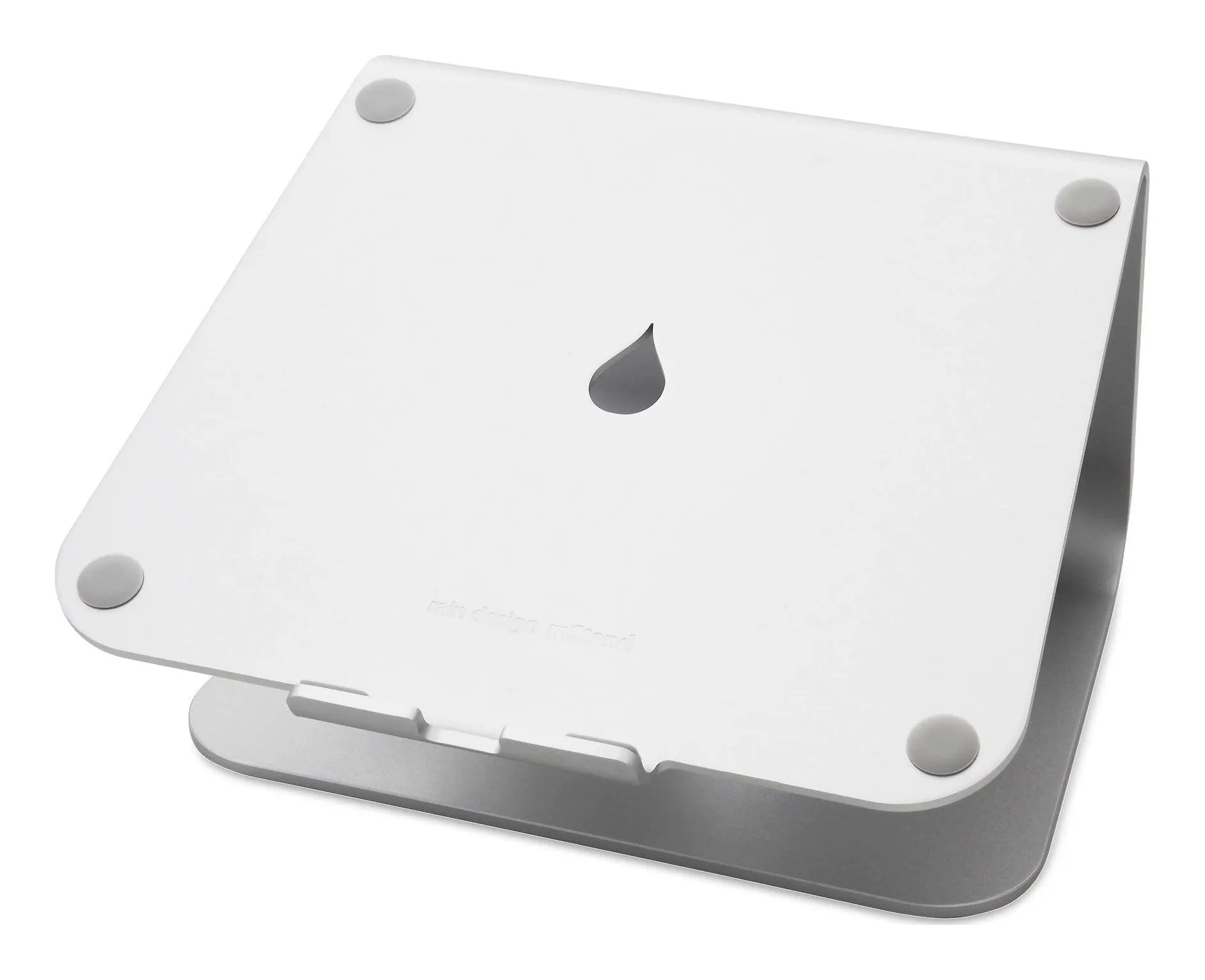
Rain Design mStand
- Width
- 10 in
- Depth
- 7.5 in
- Height
- 5.9 in
- Weight
- 3 lb
- Material
- Single piece of anodized aluminum
- Cable management
- 2-in outlet at the back
Check price on Amazon
Rain Design’s mStand is one curved sheet of aluminum, 10 by 7.5 inches, 5.9 inches of lift, 3 lb, with a hole at the back for the charger cable. It does not adjust, fold or wobble, which is what a desk that is always the same desk wants. A tall person puts a book under it.
Strengths
- Rock-steady — it is one piece of metal
- Cable hole keeps the charger lead tidy
- Raises a 16-in laptop to about eye level with an external keyboard
Limitations
- Not adjustable and not portable
- 3 lb
- Too low for a tall person without a riser underneath
Good for
- a permanent desk with an external keyboard
- a 13–16 in laptop used as a second screen
- anyone tired of folding stands flexing
Look elsewhere if
- travel
- a very tall user
- a desk where the laptop comes and goes
a travel stand, 6.5 to 12.5 inches of lift, 6 oz
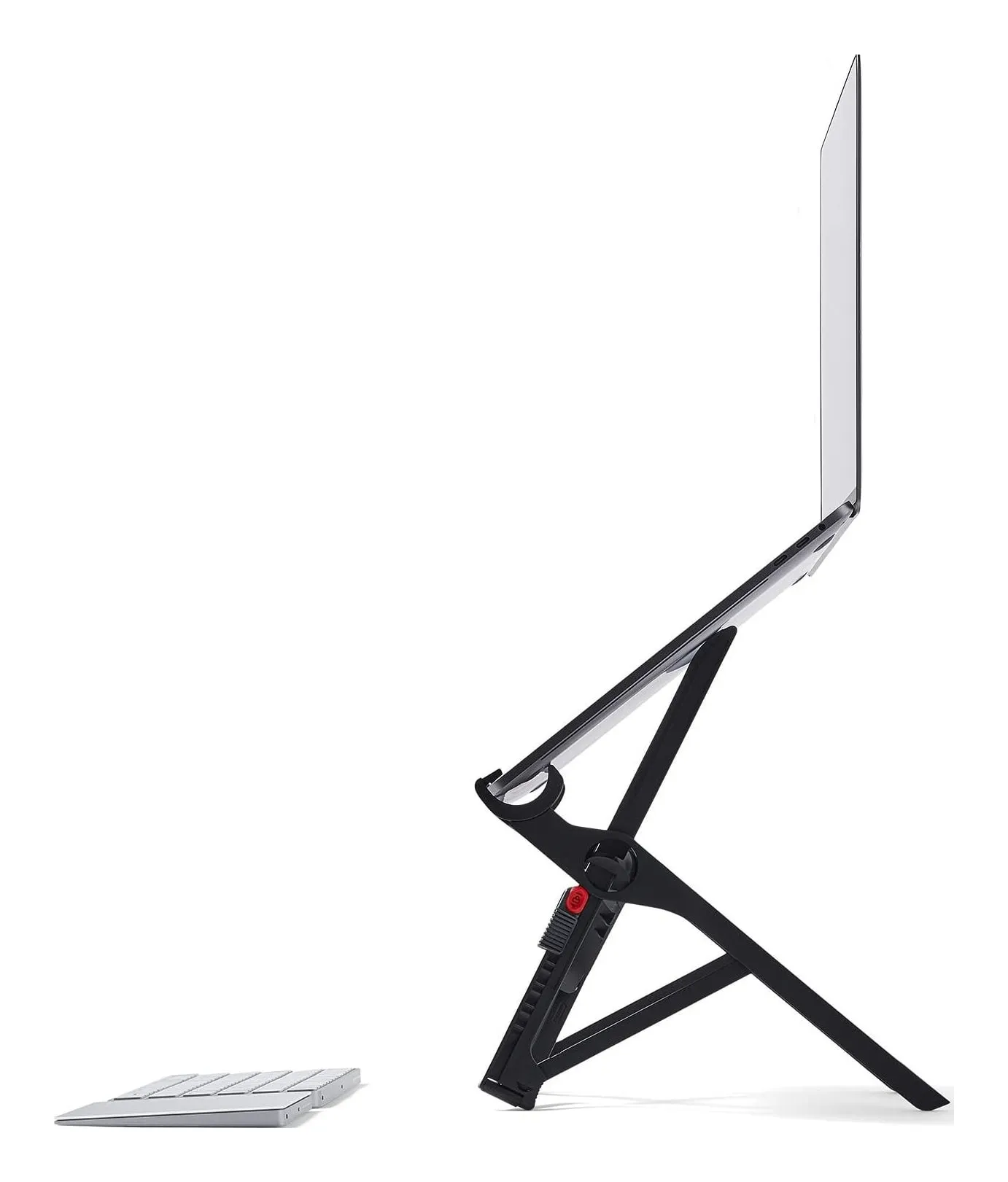
Roost V3 Laptop Stand
- Weight
- 6 oz
- Folded size
- 1 x 1.5 x 13
- Height settings
- 7
- Screen lift
- 6.5–12.5 in
- Fits
- All laptops, by Roost
- Guarantee
- 90-day money-back
Check price on Amazon
Roost’s V3 weighs 6 oz, folds to 1 by 1.5 by 13 inches, and lifts the screen 6.5 to 12.5 inches on seven settings, gripping the laptop by its front edge. It is the stand for a desk that is sometimes a kitchen table and sometimes a café, and it is also the one with the most lift for a tall person.
A stand that lifts the screen also lifts the keyboard, and that is the second problem.
Strengths
- 6 oz — you forget it is in the bag
- 12.5 in of lift puts the screen at eye level
- Seven height settings
Limitations
- Expensive for a few ounces of plastic
- Needs an external keyboard and mouse — always
- Grips the laptop by its front edge; fat bezels or rubber feet can interfere
Good for
- working from cafés, trains and hotel desks
- a laptop that travels every day
- a backpack with no room for an aluminum stand
Look elsewhere if
- a fixed desk — buy the mStand
- anyone who types on the laptop keyboard
Then the keyboard
A laptop on a stand cannot be typed on. The keys are at chest height, the wrists bend up, and the stand rocks — Nulaxy’s page says so about its own stand, and it is true of all of them. So a stand means an external keyboard and mouse, and on a small desk the question is where they go.
At 24 inches of depth: the stand at the back, the keyboard in front of it, 3 to 4 inches of desk in front of the keyboard for wrists. At 20 inches: the stand’s own depth matters — the mStand is 7.5 inches, the Roost’s footprint under the laptop is less — and a compact keyboard without a number pad saves 4 inches of width. At 18 inches or less, the honest answer is a monitor arm clamped to the back edge and the laptop closed in a drawer, because there is no room for both a raised laptop and a keyboard.
A keyboard tray under the desk gives the depth back, if the desk has a frame to screw it to and your knees have room.
Then the light
The ceiling light is behind you and reflects in the screen; a lamp on the desk takes the corner you needed for the mouse and reflects in the screen too. On a small desk the lamp should not be on the desk.
a lamp on the monitor, zero footprint
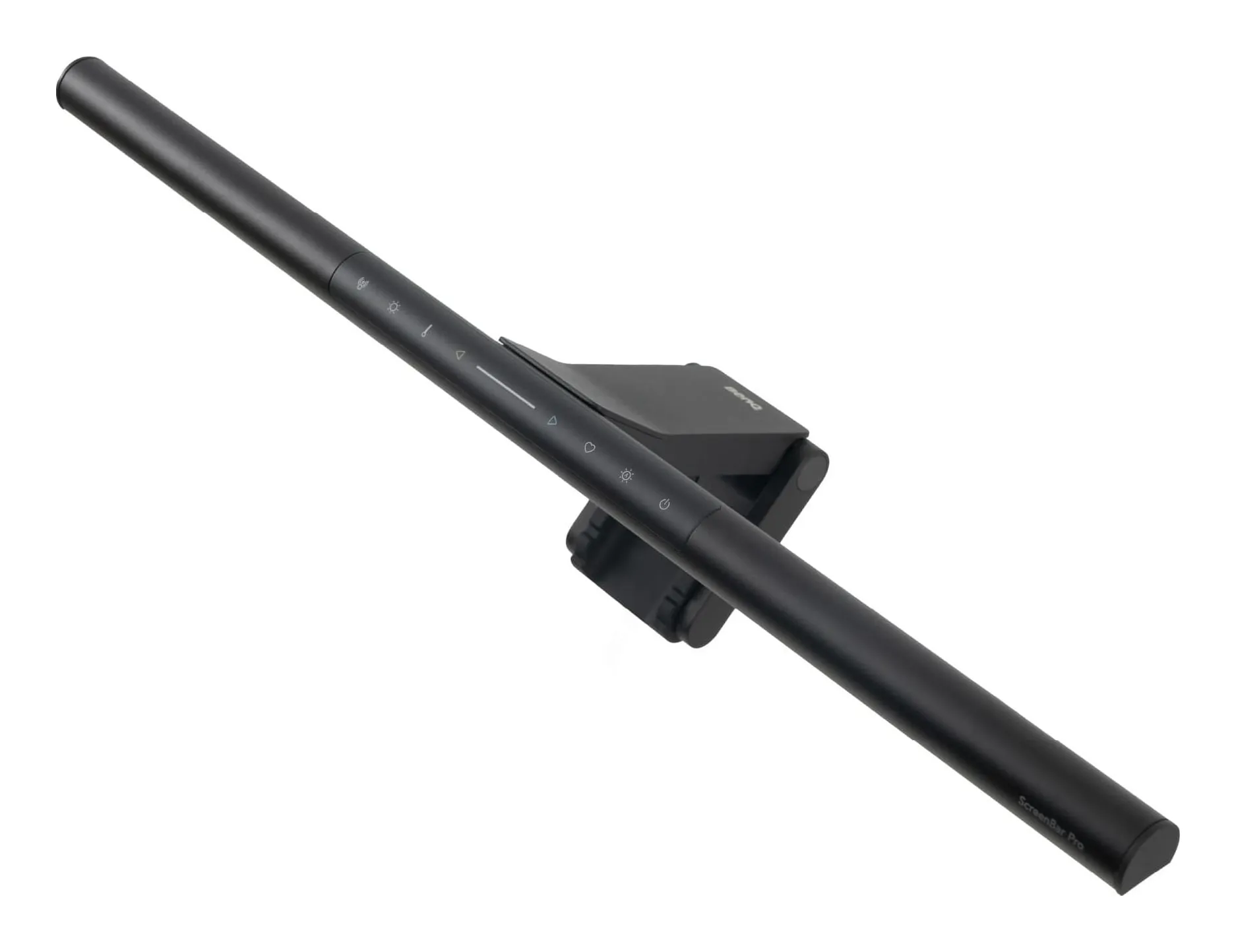
BenQ ScreenBar Pro
- Color temperature
- 2700–6500 (8 steps) K
- Brightness levels
- 16
- Center illuminance
- over 1,000 at 50 cm lx
- Lit area
- 33.5 x 19.7 in at 500 lx
- Color rendering
- Rf > 96
- Power
- 8.5 max, USB-C W
Check price on Amazon
BenQ’s ScreenBar Pro clamps on top of a flat or curved monitor up to 2.56 inches thick, is 19.7 inches wide, and lights a 33.5 by 19.7 inch area in front of the screen to 500 lx with none on the screen, in eight color temperatures, powered by USB-C at up to 8.5 W. It takes no desk space and switches on when its sensor sees you sit down. It needs a monitor, and it does not light your face for calls.
Strengths
- Takes no desk space at all
- 500 lx calibrated across the work area, by BenQ's own figure
- Presence sensor — no switch to find
Limitations
- Needs a USB-C supply of 1.7 A; a laptop port may not be enough
- Only lights the desk, not your face for video calls
- Costs as much as two good desk lamps
Good for
- a monitor on a desk under 40 in wide
- night work with the room lights off
- anyone whose lamp currently reflects in the screen
Look elsewhere if
- a laptop-only desk with no monitor
- lighting your face on calls
a clamp lamp on a USB port
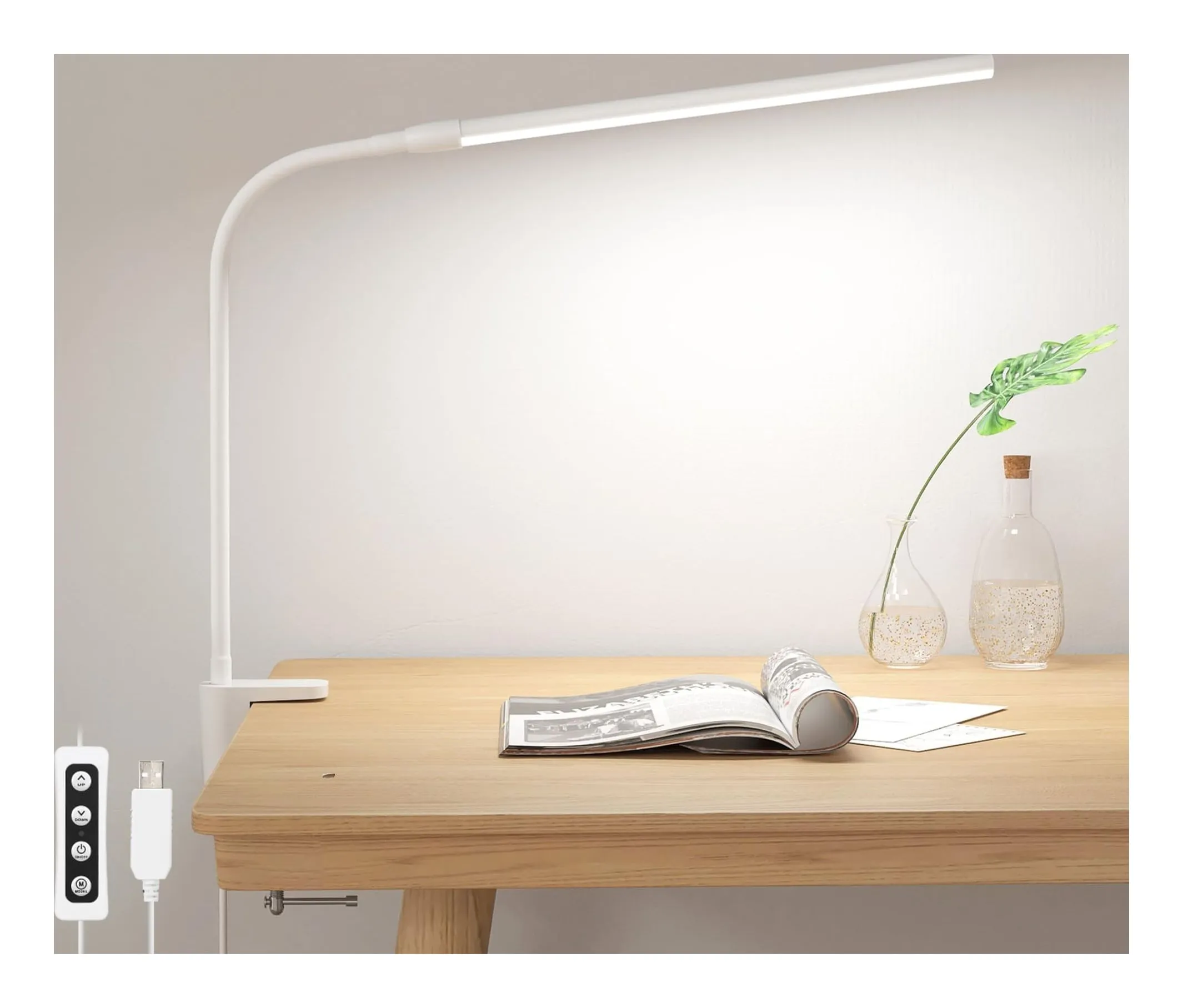
Lepro Clamp Desk Lamp 460 lm
- Brightness
- 430–460 lm
- Power
- 5 W
- Color temperature
- 3000 / 4200 / 6500 K
- Brightness levels
- 10
- Mount
- Clamp, opens to 1.97 in
- Power
- USB, adapter not included
Check price on Amazon
Lepro’s clamp lamp is a 5 W gooseneck on a clamp that opens to 1.97 inches, 430 to 460 lm in three color temperatures, running from any USB port with a 4.9 ft cord and no adapter in the box. It is enough light for a laptop and a notebook, and it lives on the back edge of the desk or a shelf above it.
The rule for placement: the light source above eye level or below the screen’s top edge, never beside the screen at eye height, and aimed at the desk, not the wall. For calls, a light at eye level in front of you is a different job and a different lamp.
Strengths
- Runs from a USB port on the monitor or a power strip
- Clamp mount, no footprint
- Ten brightness steps
Limitations
- 460 lm — enough for a laptop, not a drafting board
- Gooseneck droops if you extend it fully
- No adapter in the box
Good for
- a shelf desk or a bedside table
- a dorm
- a second light over a keyboard
Look elsewhere if
- a main light for a big desk
- a desk edge thicker than 2 in
Then the cables
A small desk has one outlet behind it and a laptop charger, a monitor supply, a lamp and a phone to feed. A power strip screwed to the underside of the desk, a 65 W USB-C charger that also feeds the lamp and the phone, and a cable hole in the stand — the mStand has one — are the difference between a desk and a nest. The ScreenBar Pro draws about 1.7 A over USB-C, which a monitor’s USB port may not supply; plan for a wall charger.
A worked example at 36 by 20 inches
A 36-inch-wide, 20-inch-deep desk in a bedroom. Laptop on an mStand at the back left, 7.5 inches deep, leaving 12.5 inches in front for a compact keyboard and wrists. Mouse to the right of the keyboard. A clamp lamp on the back edge at the right, aimed left across the desk. Power strip under the desk, one 65 W charger for the laptop, the lamp off a USB port on the strip. Nothing on the desk but the keyboard, the mouse and the raised laptop. If a monitor comes later, it goes where the laptop was and the laptop closes into a drawer, with a ScreenBar on top of the monitor instead of the clamp lamp.
The order, in five steps
- Lift the screen to eye level: 6 to 10 inches, fixed or folding.
- Add a keyboard and mouse, compact if the desk is under 24 inches deep.
- Get the lamp off the desk: on the monitor or on a clamp.
- One charger, one strip, under the desk.
- Measure depth before buying a monitor: foot plus keyboard plus wrists must fit.
Sources
Facts checked October 10, 2026
- Rain Design — mStand product page — Manufacturer documentation, checked October 10, 2026
- Amazon listing (Rain Design) — Retailer listing, checked October 10, 2026
- Roost — Roost V3 laptop stand product page — Manufacturer documentation, checked October 10, 2026
- Amazon listing (Roost) — Retailer listing, checked October 10, 2026
- BenQ — ScreenBar Pro monitor light product page — Manufacturer documentation, checked October 10, 2026
- Amazon listing (BenQ) — Retailer listing, checked October 10, 2026
- Lepro — clamp desk lamp 310005-DWW product page — Manufacturer documentation, checked October 10, 2026
- Amazon listing (Lepro) — Retailer listing, checked October 10, 2026
How high should the laptop screen be?
The top of the screen at or a little below eye level when you sit upright, with the screen about an arm's length away. On a standard 29-inch desk that means lifting a laptop screen 6 to 10 inches for most adults. The fixed stands we have on file lift 5.9 to 7 inches; the adjustable ones go to 10 or 12.5.
Can I skip the external keyboard?
Not with a stand. A raised laptop keyboard puts your wrists at chest height and rocks the stand; Nulaxy says so about its own C3 and it is true of all of them. A compact keyboard and a mouse are part of the stand's price. On a desk with no room for them, a monitor arm and a closed laptop is the alternative.
Where does the lamp go on a small desk?
Off the desk: on top of the monitor as a light bar, or clamped to the back edge on an arm. A lamp with a base takes a corner of a desk that has no corners to spare, and placed beside the monitor it reflects in it. If the desk is glass, clamps are out and a small folding lamp with a base is the fallback.
How deep does a desk need to be?
At 24 inches you can put a laptop on a stand at the back and a keyboard in front with a few inches for wrists. At 18 to 20 inches — a console table, a shelf desk — the stand's depth decides it: the mStand is 7.5 inches deep, the Roost's footprint is smaller, and a 24-inch monitor on a stand with a 9-inch foot does not leave room for a keyboard.
Related reading
Shortlist · Home office
Best laptop stands for a home desk: five from a 6-ounce folder to a fixed aluminum riser, on lift and weight
A laptop on a desk puts the screen eight inches too low. A stand fixes that, and the only questions are how high it lifts, whether it moves, and whether you will type on the laptop while it is up — because none of them likes that. Five stands from a 6-ounce travel folder to a 3-pound block of aluminum, on the makers' lift, weight, fit and limits.
Shortlist · Home office
Best desk lamps for a home office: a monitor bar, a clamp arm for calls and three folding lamps, on the makers' lumens
A desk lamp does one of three jobs: lights the paperwork, lights the keyboard without glaring in the monitor, or lights your face for calls. No single lamp does all three. Five picks — a monitor light bar, a clamp arm with a swiveling head, two folding lamps and a USB gooseneck — compared on lumens, color temperature, power and footprint from the makers.