


Guide · Charging · 5 models
Watts, PD, PPS and cables: how to read a USB-C charger before you buy one
A USB-C charger's box says 65 W and the phone charges at 18. The reasons are all on the spec sheet if you know which lines to read: the voltage profiles, the PPS range, what the ports share, and whether the cable can carry it. This guide explains each in plain terms, with four chargers and a power bank as worked examples from the makers' own figures.
Watts: the ceiling, not the rate
The number on a charger’s box is the most it can supply to one port with nothing else plugged in. The device decides how much it takes: a phone draws 20 to 30 W and then tapers, a 13-inch laptop 60 to 65, a 16-inch MacBook Pro up to 140 under load. A 140 W charger charges a phone at the phone’s rate, not faster. So the first question is the biggest device you will plug in, and the second is what is left for the others.
PD: the voltage profiles
USB Power Delivery works by negotiation: the device asks for a voltage and current pair, and the charger offers what it has. The standard pairs are 5 V, 9 V, 15 V and 20 V, and a charger’s wattage is the highest pair it offers multiplied out — 20 V at 3.25 A is 65 W, 20 V at 5 A is 100 W. A charger that stops at 15 V cannot charge a laptop at all, however many watts it claims, because laptops ask for 20 V.
a 30 W charger whose maker publishes every profile
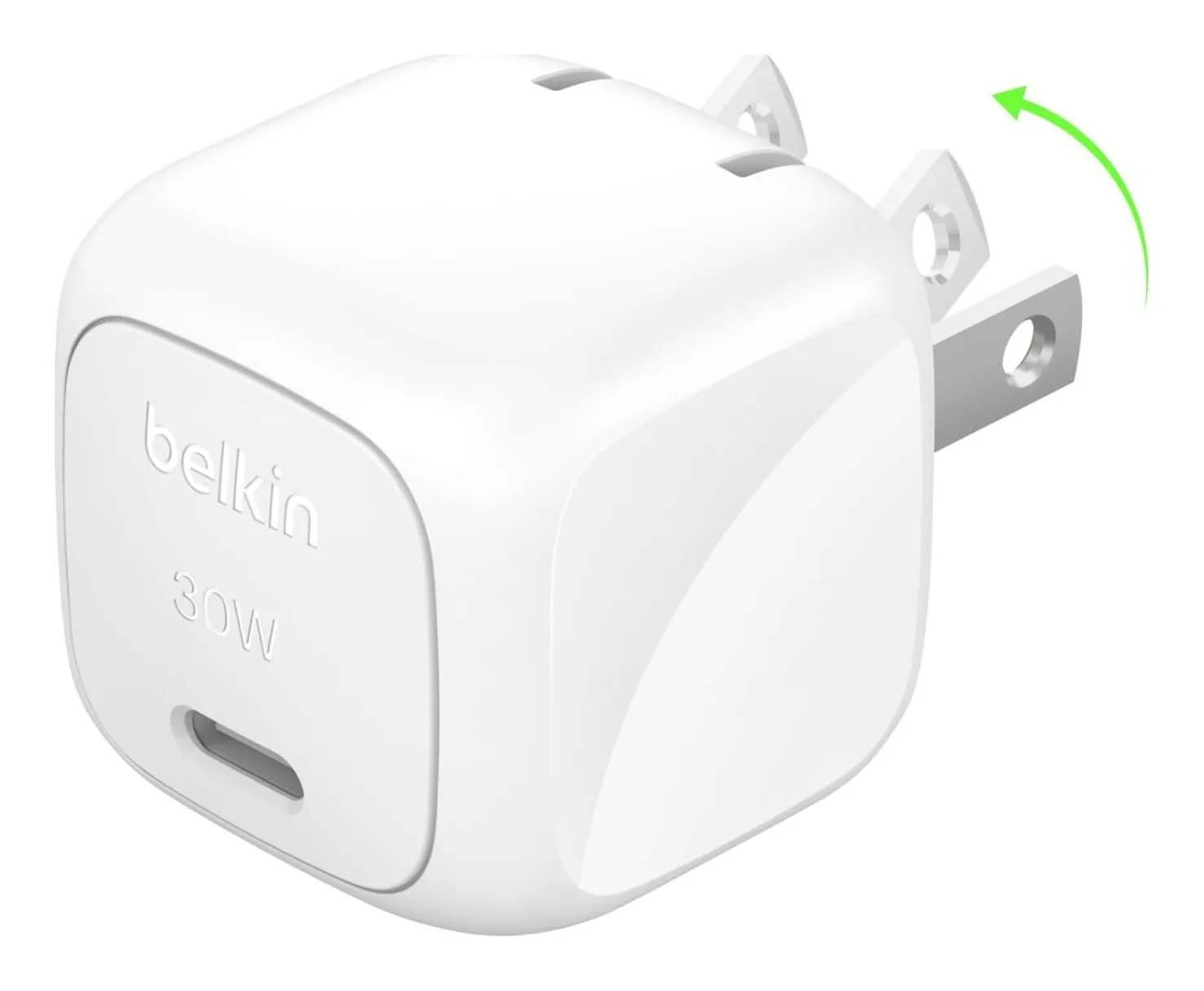
Belkin BoostCharge 30W (WCA005)
- Max output
- 30 W
- Ports
- 1 USB-C
- PD profiles
- 5 V/3 A, 9 V/3 A, 15 V/2 A
- PPS
- 3.3–11 V, 2.72 A
- Prongs
- Folding
- Depth
- 1.8 in
Check price on Amazon
Belkin publishes the profiles for its 30 W charger: 5 V at 3 A, 9 V at 3 A, 15 V at 2 A, and PPS from 3.3 to 11 V at 2.72 A. There is no 20 V profile, which is why it is a phone and tablet charger and not a laptop one, and Belkin says so by listing it. That is what a good spec sheet looks like.
Most makers do not publish the profiles. When they do not, the wattage and the words laptop or phone on the page are the only guide.
Strengths
- Belkin lists the full PD and PPS profiles
- Folding prongs
- Light
Limitations
- One port only
- No 20 V profile — 30 W is for phones and tablets
- Pricier than the three-port UGREEN
Good for
- one phone, charged fast
- a Samsung with Super Fast Charging
- a glovebox or a desk drawer
Look elsewhere if
- two devices
- laptops
PPS: the step between the steps
Programmable Power Supply is an option inside PD that lets the phone request a voltage in small steps — 3.3 to 11 V in Belkin’s case — and adjust it as the battery fills, which runs cooler and faster than jumping between 5 and 9 V. Samsung’s Super Fast Charging and Pixel fast charging need it; iPhones do not use it. If the phone is a Samsung or a Pixel, PPS on the box is the difference between the rate the phone is capable of and something slower.
PD 3.1: 28 volts and 140 watts
The 2021 revision of the standard added 28, 36 and 48 V profiles for up to 240 W. In practice it means 140 W to a 16-inch MacBook Pro from one USB-C port, which 20 V at 5 A cannot do.
a 140 W PD 3.1 charger with a 240 W cable in the box
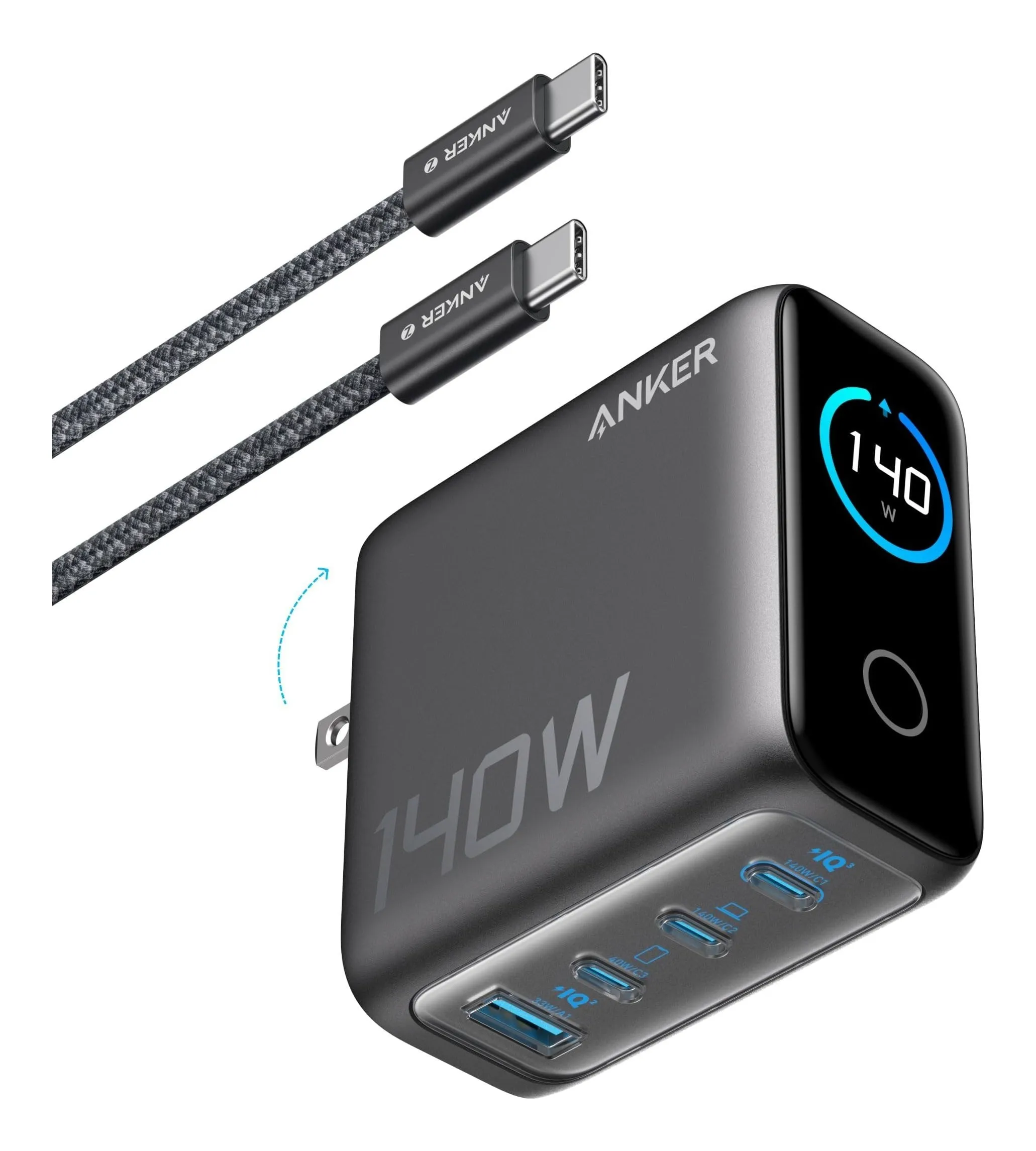
Anker 140W 4-Port Charger (A2697)
- Max output
- 140 W
- Ports
- 3 USB-C, 1 USB-A
- Per port
- USB-C1/C2 140 W, USB-C3 40 W, USB-A 33 W
- All four in use
- 134 W total
- Width
- 2.7 in
- Depth
- 1.4 in
Check price on Amazon
Anker’s 140 W charger offers 140 W on either of its first two USB-C ports, 40 W on the third and 33 W on the USB-A, with a published 134 W total across all four, and includes a 240 W-rated USB-C cable, because without it 140 W is not reachable. It weighs 9.7 oz, which is the price of 28 V.
For anything smaller than a 16-inch Pro, PD 3.1 is unnecessary; a 65 or 100 W charger on 20 V is lighter and does the same job.
Strengths
- 140 W to one port — nothing else here does it
- Anker publishes the total with all four ports loaded
- Replaces a 16-in MacBook Pro brick and a phone charger
Limitations
- 9.7 oz, and it hangs heavy on a loose outlet
- Needs a 240 W-rated cable to reach 140 W (one is included)
- Overkill for a 13-in laptop
Good for
- a 16-in MacBook Pro or a gaming-class laptop
- one charger for a family's devices
- a desk charging station
Look elsewhere if
- a light travel bag
- a single phone
Ports: what they share
A multi-port charger divides its budget when more than one port is used, and the honest makers publish how.
a 30 W charger that drops to 15 W shared
UGREEN 30W 3-Port Charger
- Max output
- 30 W
- Ports
- 2 USB-C, 1 USB-A
- With 2–3 devices
- 15 W shared
- Protocols
- PD, PPS, QC
- Width
- 1.4 in
- Depth
- 1.3 in
Check price on Amazon
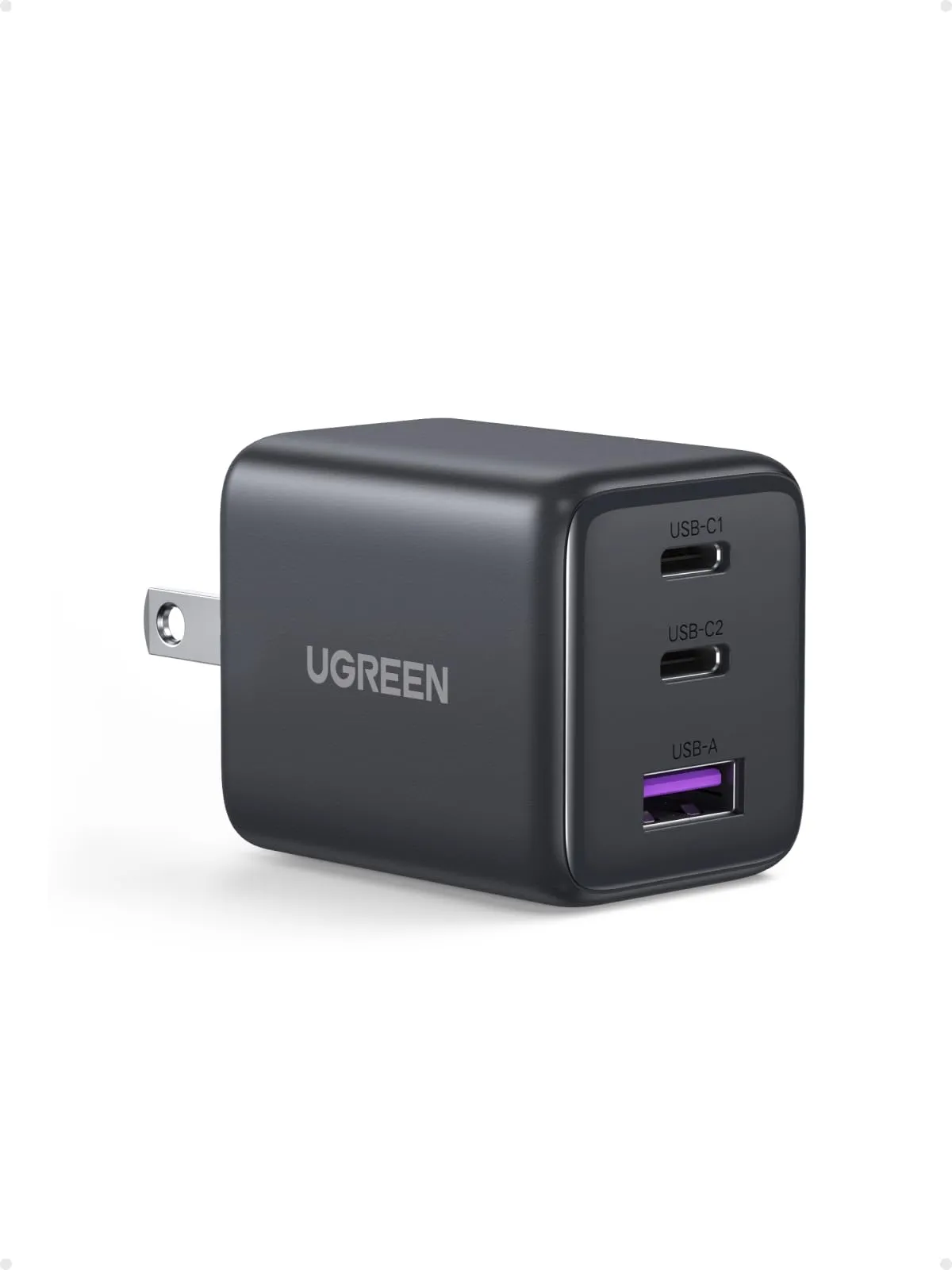
UGREEN’s 30 W three-port charger gives 30 W to one device and 15 W shared across two, which UGREEN states on its page. Two phones at once charge at the rate of a bedside brick, which for a bedside outlet is fine.
Strengths
- Smallest three-port charger here
- 30 W charges an iPhone or Pixel at full speed on its own
- PPS for Samsung phones
Limitations
- Drops to a shared 15 W with two devices
- Not for laptops
- Dimensions are UGREEN's metric figures converted
Good for
- a phone plus earbuds or a watch
- a bedside outlet
- a travel kit without a laptop
Look elsewhere if
- charging two phones fast at once
- any laptop
a 65 W charger with a published 45 + 20 W split
Belkin BoostCharge Pro 65W Dual (WCH013)
- Max output
- 65 W
- Ports
- 2 USB-C
- With 2 devices
- 45 W + 20 W
- Protocols
- PD 3.0, PPS
- Width
- 1.6 in
- Depth
- 1.5 in
Check price on Amazon
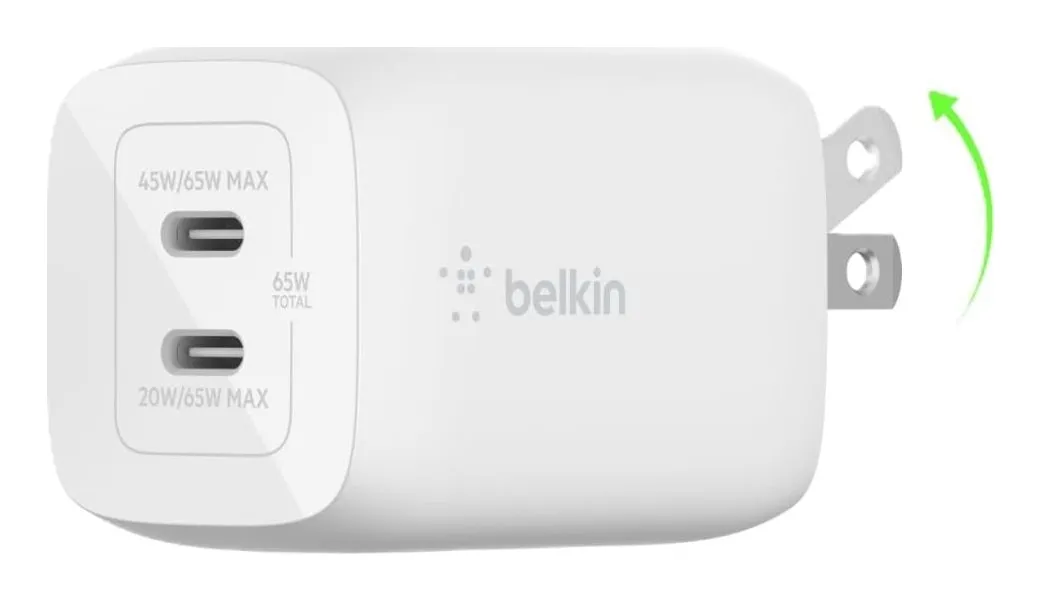
Belkin’s 65 W Dual publishes its split as 45 W to one port and 20 to the other, with PPS on both. A laptop and a phone side by side get a slow laptop and a full-speed phone, and you knew that before you bought it.
Where the maker publishes nothing — many 65 and 100 W chargers do not state the three-device case — assume the phone takes 20 W and the laptop gets the rest, and that a third device takes the laptop’s share again.
Strengths
- Belkin states the 45 + 20 W split
- PPS on both ports
- Two-year warranty
Limitations
- No USB-A for older cables
- 65 W total, so the laptop slows while the phone charges
- Slightly heavier than the UGREEN
Good for
- a laptop and a phone charged side by side
- a desk charger that replaces two bricks
- Samsung and Pixel owners
Look elsewhere if
- a USB-A device
- a 16-in laptop at full power
Cables: the silent limit
A USB-C cable carries up to 60 W by default. Above that it needs an electronic marker chip: 5 A cables for 100 W, and EPR cables for up to 240 W. A cable without the marker does not fail; it quietly caps the charger at 60 W, and the laptop charges slowly with nothing to tell you why. Anker includes the right cable with its 100 and 140 W chargers; for any other charger over 60 W, buy a cable that says 100 W or 240 W on the packaging. Data speed is a separate rating and does not matter for charging.
Power banks: in as well as out
A power bank has two wattages, out and in, and the second is the one people forget.
a power bank with 30 W in and out
Anker Nano Power Bank 10K with Built-In Cable (A1259)
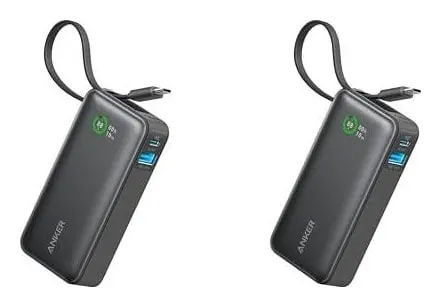
- Capacity
- 10,000 mAh
- Max output
- 30 W
- Ports
- Built-in USB-C cable, 1 USB-C, 1 USB-A
- Recharge input
- 30 W
- Width
- 2.1 in
- Height
- 4.1 in
Check price on Amazon
Anker’s Nano 10K gives 30 W out and takes 30 W in, so a 10,000 mAh bank refills in a couple of hours rather than overnight. The cable is built in, which solves the cable question for one device, and there is a spare USB-C and a USB-A for a second.
Capacity in milliamp-hours sets how many charges; watt-hours — mAh divided by 1,000, times 3.7 — is what the FAA counts, with 100 Wh the limit without airline approval. The Nano 10K computes to about 37 Wh.
Strengths
- Built-in cable — nothing to forget
- 30 W both ways, so it refills fast
- Three ways to connect
Limitations
- 7.6 oz and an inch thick
- The built-in cable is short
- Still well under the FAA limit, but too big for a jeans pocket
Good for
- a day of heavy phone use plus earbuds
- a tablet top-up
- a commuter bag
Look elsewhere if
- a laptop
- a pocket
How to read a charger page in five lines
- Total watts. Match the biggest device: 30 for a phone, 65 for a 13-inch laptop, 100 for a 16-inch, 140 under load.
- 20 V profile. If the page lists profiles and 20 V is missing, it is not a laptop charger.
- PPS. For a Samsung or a Pixel, it must say so.
- The split. Find the two-device figure; if there is none, assume the laptop loses 20 W.
- The cable. Over 60 W, a 5 A or 240 W cable, in the box or bought.
Sources
Facts checked October 10, 2026
- Belkin — 30W USB-C PD 3.0 PPS wall charger WCA005 product page — Manufacturer documentation, checked October 10, 2026
- Amazon listing (Belkin) — Retailer listing, checked October 10, 2026
- UGREEN — 30W 3-port USB-C charger (SKU 55538) product page — Manufacturer documentation, checked October 10, 2026
- Amazon listing (UGREEN) — Retailer listing, checked October 10, 2026
- Belkin — BoostCharge Pro 65W dual USB-C GaN wall charger WCH013 product page — Manufacturer documentation, checked October 10, 2026
- Amazon listing (Belkin) — Retailer listing, checked October 10, 2026
- Anker — Charger (140W, 4-Port, PD 3.1) product page — Manufacturer documentation, checked October 10, 2026
- Amazon listing (Anker) — Retailer listing, checked October 10, 2026
- Anker — Nano Power Bank (30W, Built-In USB-C Cable) product page — Manufacturer documentation, checked October 10, 2026
- Amazon listing (Anker) — Retailer listing, checked October 10, 2026
How many watts does each device need?
Phones charge at full speed on 20 to 30 W and most stop drawing more; tablets on 30 to 45; a MacBook Air or a 13-inch Windows laptop on 60 to 65; a 14-inch MacBook Pro on up to 96; a 16-inch MacBook Pro up to 140 under load. A charger with more watts than the device needs is not faster; the device sets the rate.
What is PPS and do I need it?
Programmable Power Supply is a part of the USB PD standard that lets the phone ask for a voltage in small steps instead of fixed 5, 9, 15 or 20 V. Samsung's Super Fast Charging and Google's Pixel fast charging use it; without PPS those phones charge slower. Belkin publishes its PPS range for the 30 W charger as 3.3 to 11 V at 2.72 A. iPhones do not use PPS.
Why does my 65 W charger give the laptop 45 W?
Because a second device is plugged in and the charger has divided its budget. Belkin publishes the split for its 65 W Dual as 45 W to one port and 20 to the other; UGREEN's 30 W drops to a shared 15 W. If the maker does not publish the split, assume the laptop gets the remainder after the phone takes 20.
Does the cable matter?
Up to 60 W, any USB-C cable works. From 60 to 100 W the cable must be rated for 5 A, marked on the cable or its packaging; from 100 to 240 W it must be an EPR cable, which is what Anker includes with its 140 W charger. The wrong cable does not fail; it silently caps the charger at 60 W.
Related reading
Shortlist · Charging
Best compact USB-C chargers: six from 30 to 140 watts, by what each port actually gets
The watt figure on a charger is what one port gets when nothing else is plugged in. Plug in a second device and some chargers drop to 15 W shared, some publish a split, and some leave you to find out. Six compact GaN chargers from UGREEN, Belkin and Anker, 30 to 140 W, compared on total output, the published split, ports, size and weight from the makers.
Shortlist · Charging
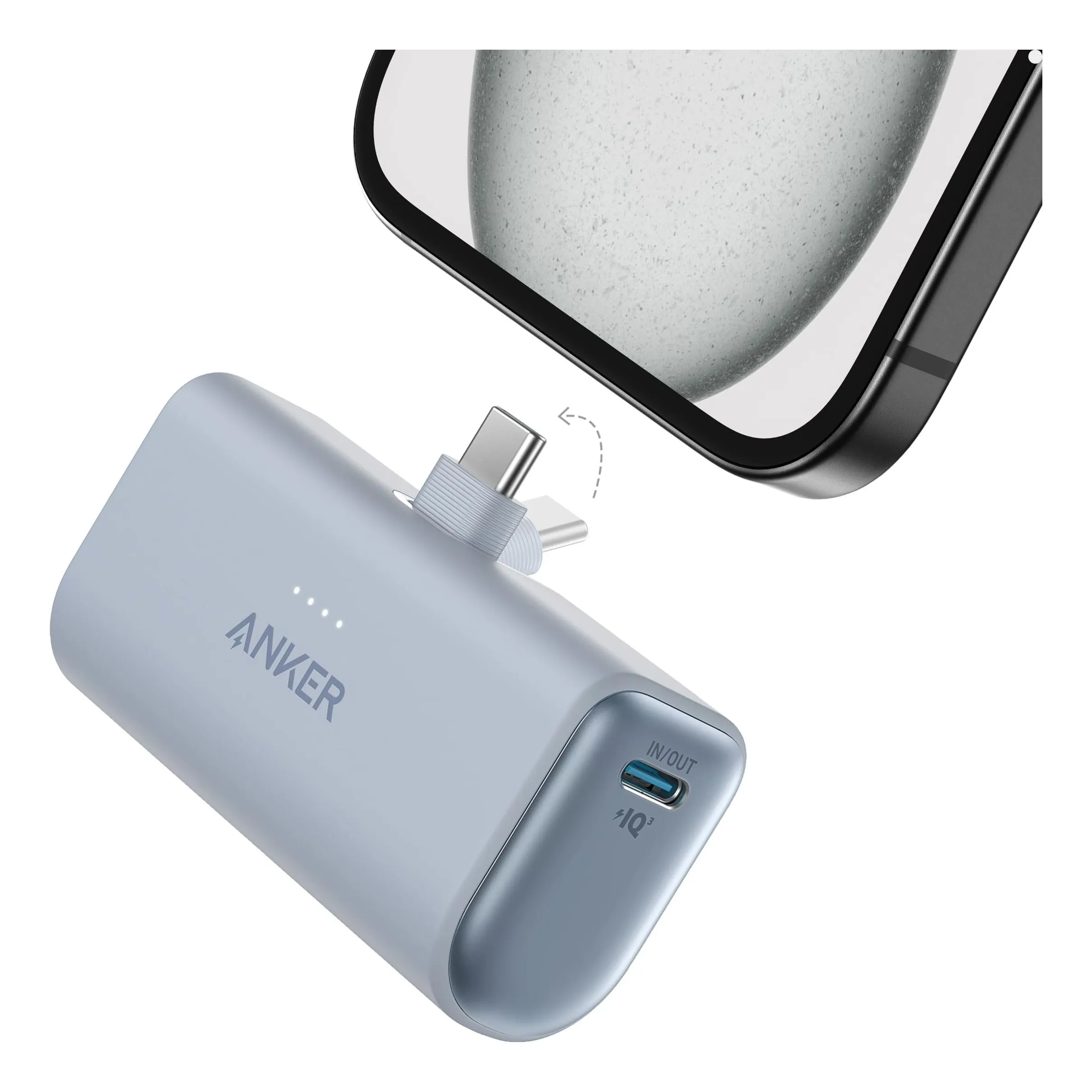
Best power banks you can take on a plane: five from 5,000 to 25,000 mAh, all under the FAA's 100 Wh line
A power bank is a lithium battery, and the FAA has rules: spares and power banks go in the cabin only, and anything over 100 watt-hours needs the airline's say-so. Five banks from a 3.5 oz plug-in to a 25,000 mAh laptop battery, every one under 100 Wh, compared on capacity, output, weight and ports from the makers — with the watt-hour figure stated or computed for each.